Stuck on grub menu after Luks Full Disk Encryption (coreboot)
I used ivyra1n to install skulls with seabios payload on my x230. However, after installing coreboot, I could not boot into a lot of distros after installing with their full disk encryption 1 . Here is fix and a potential workaround.
So I recently decided to try out Devuan because I don't like systemd on Debian. I followed devuan's Full Disk Ecryption guide. The install went fine, I booted and pressed enter on "Devuan GNU/Linux" in the grub menu. After which, my computer display froze like this:
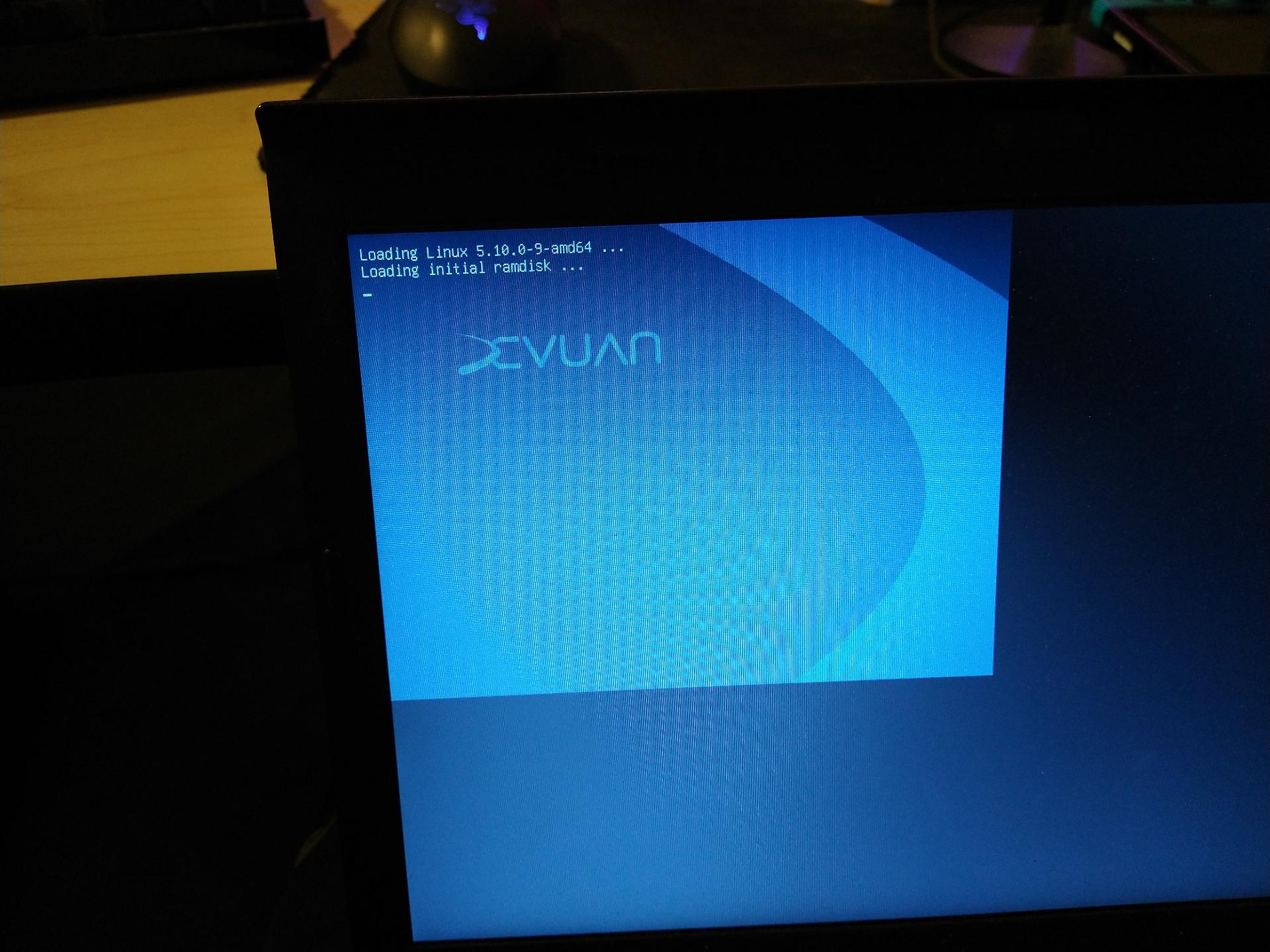
I thought my computer froze but this is not the case 2. If I type in my luks password and press enter, the computer boots fine. In fact, I am writing this blog post booted into X11 on that laptop. It seems that the computer is still active and just waiting for my luks password even though the display didnt update.
Before hopping to Devuan, I tried out gnu guix 3 . Using gnu guix, I had the same issue in grub boot after install and someone in irc recommended I just type in my luks password. However, someone else on irc had a solution to remove this issue forever for other users:
https://issues.guix.gnu.org/51619
Apparently the gnu guix kernel config was missing the coreboot framebuffer drivers. I havent tested this patch but I plan to check if this fixes the issue on Devuan since it's the same problem. I decided to post this for people looking for a temporary workaround on distros that may have a similar issue.
Cheers!
Footnotes
Gentoo, Void, and Debian (with calamares installer) worked fine. If I recall correctly, Debian with netinstall would freeze on grub.
The reason the grub menu only takes up the top left screen is because I havent changed my grub menu according to the hint on the skulls readme. The computer boots fine and uses the entire screen.
I hopped off guix cause I had a really hard time learning guile and I needed this laptop to work. Maybe Ill try guix again in a virtual machine. Some handy things about guix. To get dwm and st working, see tkiat's guix-channel and customize it to your needs. If you use startx and install it as user, make sure your xinitrc is setup like Alex Kost's recommendations on the mailing list. My user wasn't added to the input group and that was required for X11 to detect my input devices (keyboard and mouse).
Have a comment on one of my posts? Start a discussion in my public inbox by sending an email to ~anjan/public-inbox@lists.sr.ht [mailing list etiquette]